


White Castle Online Ordering
3.69.52K Reviews
App Specs
- Version
- 7.0.68
- Updated On
- License
- Free
- Downloads
- 1,000,000+
- Developer
- White Castle Management Co.
- Categories
- Food & Drink
- Platform
- Android, iOS
Screenshots


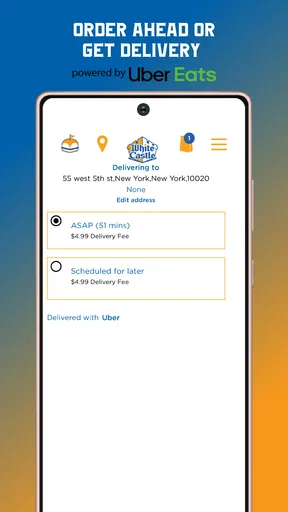
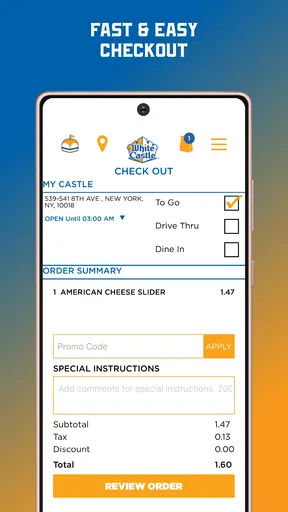
 Analysis by AppCompare
I judge White Castle Online Ordering by a practical standard: does it make getting White Castle food easier, without adding more steps than it saves? For people who already know what they want from the chain, ordering ahead can be useful. It is less compelling if you are looking for a broad restaurant-discovery tool or want to compare many nearby places before deciding what to eat.
What the app is best at
This is a focused Food & Drink app from White Castle Management Co., built around placing an order rather than browsing restaurants generally. That narrow purpose is its main strength. When I have a familiar meal in mind, an ordering app can help me make choices at my own pace, check the basket before submitting, and avoid trying to communicate a complicated order over a noisy counter or drive-thru speaker.
A useful way to approach it is to treat the menu as a planning step, not a promise that every choice will work the same at every restaurant. I would first choose the location I actually plan to visit, then review the available menu and options there before building a group order. That order of operations helps prevent the frustration of choosing items first and only later realizing the selected restaurant is not the convenient one for pickup.
When ordering ahead helps—and when it does not
Picture a lunch break with little room for delay: I can decide what I want before leaving, check the order carefully, and place it when I am ready to head toward the restaurant. That is a more useful advantage than simply tapping through a menu. It can also make a stop on an unfamiliar route easier, provided I confirm the location and the pickup plan before setting off.
Ordering ahead is not automatically faster in every situation. A busy restaurant can still take time to prepare food, and an app cannot make a long detour worthwhile or remove the need to collect the order. If I am already beside a restaurant and want to ask a question before choosing, ordering in person may be simpler. I would also avoid placing an order too early if my schedule is uncertain; the convenience depends on being able to reach the chosen location at a sensible time.
How it fits alongside other ways to order
Compared with a general delivery or restaurant app, White Castle’s own ordering app has a narrower job: it is for people who have already decided on White Castle. A broader service may be more practical when I want to compare restaurants or arrange delivery from different businesses. On the other hand, a brand-specific app can be a more direct starting point for someone who wants White Castle rather than a list of alternatives.
The key trade-off is choice versus focus. This app is not a substitute for deciding whether White Castle suits the occasion, and it will not help much if there is no convenient participating restaurant for the trip. I would use it for a planned pickup, especially when everyone in a small group has agreed on the same place. If the group is still debating cuisines, a general map or restaurant app is a better first stop.
Worth Reading Before You Choose

EA SPORTS FC Mobile 26 Is a Bigger Football Game, but It Takes Time

Flipboard Shows What News Apps Must Do Beyond the Feed

Switching to Android Auto Means Rethinking Your Driving Routine

Google Calendar Makes a Crowded Week Easier to Manage

Ludo King Makes the Most of the Minutes Between Plans

Baby Panda World Brings Quick Play to Modern Phones, but Its Game Library Feels Busy
Who should install it
I would recommend trying it if White Castle is already part of your routine, or if you want to organize a pickup without handling every choice at the counter. For an occasional visitor, it may still be handy, but the benefit is smaller if downloading an app feels like more effort than placing a one-off order directly. It is free, rated for Everyone, and has reached over a million installs, so it is clearly aimed at a broad audience rather than a niche group of power users.
The app has an average rating of 3.7 from around 17,000 ratings, alongside roughly 9,100 written reviews. I take that as a reason to keep expectations measured: it may suit the basic task of ordering, but no ordering app can guarantee a smooth experience at every location or on every visit. If something about timing or the order matters, I would review the details before submitting instead of assuming that a tap has settled everything.
Seamless Ordering Experience
As soon as I downloaded the app, I was impressed by its sleek design and user-friendly interface. The home screen is straightforward, allowing you to dive right into ordering without any confusing menus or unnecessary steps. Whether you’re a tech pro or someone who still struggles with setting up email, the app makes it super intuitive to get your White Castle fix.
One of the standout features is the way you can customize your order. Want extra onions on those sliders? No problem. Prefer your fries with a side of cheese sauce? Done. The app’s customization options are vast and cater to all your quirky cravings. It feels like having your very own personal chef at White Castle!
Speed and Convenience
Let’s talk speed. The White Castle Online Ordering app is all about getting your order fast. Once you’ve customized your meal, the app shows you an estimated time for pickup or delivery. I was pleasantly surprised to find my order ready for pickup in about 15 minutes on average. No more waiting around or wondering when your food will be ready.
The app also remembers your past orders, which is a neat feature for regulars. Just a tap, and you can reorder your usual without having to go through the entire process again. It’s like the app knows what you’re thinking, making it super convenient for those quick lunch breaks.
Payment Options and Rewards
One of the things that caught my attention was the variety of payment options. You can pay using credit/debit cards, and there’s even an option for Apple Pay, making transactions smooth and secure. Plus, for those who love a good deal, the app offers exclusive rewards and discounts. Every order gets you closer to those free sliders, and who doesn’t love free food?
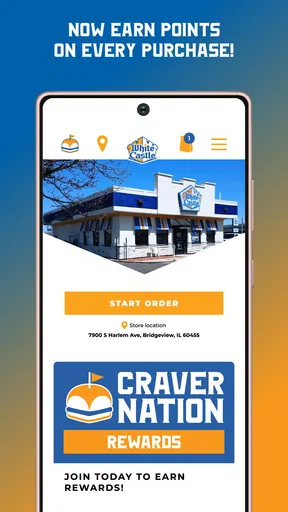
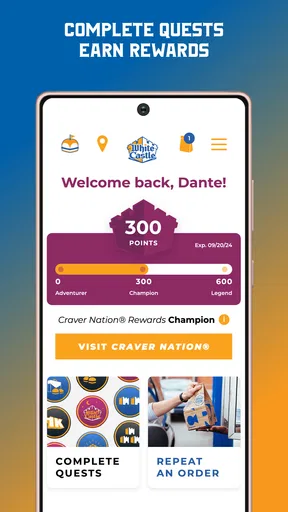
The rewards system is simple. It keeps track of your purchases and points, notifying you when you’ve earned a freebie. I found this feature to be a delightful bonus, especially for someone who frequents White Castle as much as I do.
User-Friendly Features
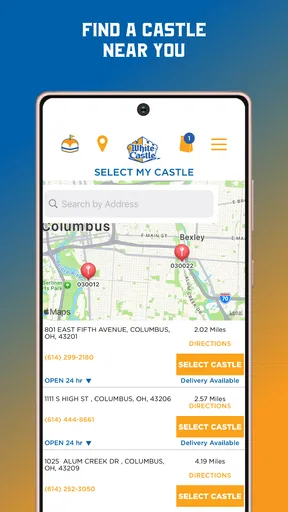
Navigation through the app is a breeze, thanks to its intuitive layout. The app also includes location services, which automatically detects the nearest White Castle, making it convenient for those last-minute cravings. If you’re on a road trip or in an unfamiliar area, this feature ensures you’re never too far from your slider fix.
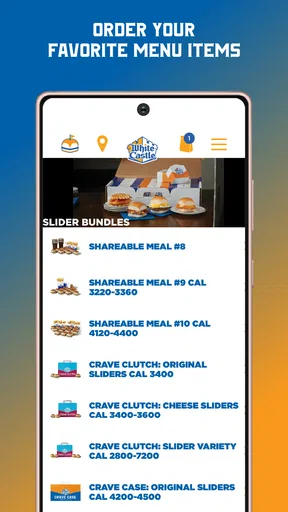
Another feature worth mentioning is the app's ability to handle complex orders for groups. Planning a movie night or a game day with friends? The app allows you to order a Crave Case with ease, ensuring everyone gets their share without the usual hassle of coordinating large orders.
Final Thoughts
Overall, the app is a must-have for any slider enthusiast. It’s efficient, packed with features, and makes satisfying your cravings easier than ever. Whether you're a White Castle newbie or a die-hard fan, the app is designed to enhance your dining experience, offering everything from convenience to customization. So, next time you’re in the mood for those delicious sliders, skip the line and let the app handle everything for you.
Download the app, give it a spin, and experience the magic of White Castle at your fingertips. Trust me, once you try it, you’ll wonder how you ever lived without it!
Practical checks before you place an order
For a smoother visit, I would use the app in a simple sequence: pick the restaurant that fits the trip, look over its menu, add items, and then read the complete basket once before checking out. That final pause matters most for a shared order. It gives you a chance to catch a missing side or an unintended quantity before everyone is waiting for food.
For a group, I would settle the order with the other people first rather than passing the phone around while items are already in the basket. Ask about preferences, put the agreed choices in together, and check the total item by item. This is less about a hidden feature than a useful workflow: it limits last-minute edits and makes a large order easier to verify.
Expectations, access, and version
The app is free, and its current version is 7.0.25. It first arrived on December 30, 2013, and supports devices running Android 6.0 or later. Those details make it accessible to many Android users, though I would still check that my phone’s software is compatible before planning to rely on the app during a trip.
One question people often have is whether an ordering app replaces the need to check the restaurant details. I would treat it as a tool for arranging the order, not as a guarantee that every location has identical availability or timing. Review the choices shown for the restaurant you selected, and leave enough flexibility in your schedule to collect the food. For an especially time-sensitive meal, the estimate is a planning aid rather than a reason to arrive at the last possible moment.
A focused tool, not a universal food app
White Castle’s app makes the most sense when the decision is already made: you want its sliders and need a convenient way to organize the order. Its directness is welcome for a regular customer, but that same focus limits its usefulness for someone comparing menus across a neighborhood, looking for a different cuisine, or wanting one place to manage meals from several restaurant brands.
I would also be selective about installing it for a single, uncertain visit. If I am only passing through and do not know whether I will stop, I can wait until the plan is clearer; an app is valuable when it removes friction, not when it creates another task. For repeat visits, saved familiarity can make the process feel more worthwhile. For an occasional craving, ordering at the restaurant may be perfectly reasonable.
My verdict
White Castle Online Ordering is a practical, brand-specific option for people who already enjoy White Castle and want to prepare a pickup order with less back-and-forth. I like the idea of deciding carefully before reaching the counter, especially for a familiar meal or a group order. I would not treat it as a shortcut that guarantees instant food, and I would choose a broader restaurant app when flexibility and comparison matter more than ordering from one chain.
My recommendation is straightforward: install it if White Castle is a regular choice or if you have a definite visit coming up; skip it if you rarely go and prefer to decide in person. Used with a quick location and basket check, it can make a specific craving easier to handle without pretending to solve every part of a meal plan.
Pros
- Intuitive interface for easy navigation.
- Quick customization for orders.
- Secure payment options.
- Real-time order tracking.
- Supports multiple payment methods.
Cons
- Limited delivery areas.
- Occasional app crashes.
- No option to save favorite orders.
- Lacks detailed nutritional info.
- Limited promotional offers.
FAQs for White Castle Online Ordering
What features does the White Castle Online Ordering app offer?
The White Castle Online Ordering app allows users to browse the full menu, customize orders, and save favorite items for quick access. It also offers exclusive deals and promotions, a loyalty rewards program, and the ability to locate the nearest White Castle restaurant. Additionally, users can schedule pick-up times and track their order status in real-time.
Is the White Castle Online Ordering app user-friendly?
Yes, the app is designed with an intuitive and easy-to-navigate interface. Users find it straightforward to browse menus, apply discounts, and complete transactions. The app also includes a help section with detailed instructions and a customer support option for any issues that might arise during the ordering process.
Are there any costs associated with using the White Castle Online Ordering app?
Downloading and using the app is free. However, users should be aware that standard data charges may apply based on their mobile carrier plans. While the app itself doesn’t have a cost, orders placed through the app will incur charges as per the menu prices, including applicable taxes and fees.
Can I customize my order through the White Castle Online Ordering app?
Absolutely! The app provides a comprehensive customization feature, allowing users to modify their orders to suit dietary preferences or specific tastes. You can adjust ingredients, choose portion sizes, and add special instructions to ensure your meal is prepared exactly how you like it.
How secure is the payment process on the White Castle Online Ordering app?
The app employs advanced encryption methods to ensure that all transactions are secure. Payment information is protected, and users can choose from various secure payment options, including credit/debit cards and mobile wallets. The app also regularly updates its security protocols to safeguard user data against potential threats.


